Lean visual management software with AI Intelligent Lean,
made visual.
Lean Management software powered by AI. Centralise Issues, monitor TOP meetings and analyse KPIs with LEANVIS.
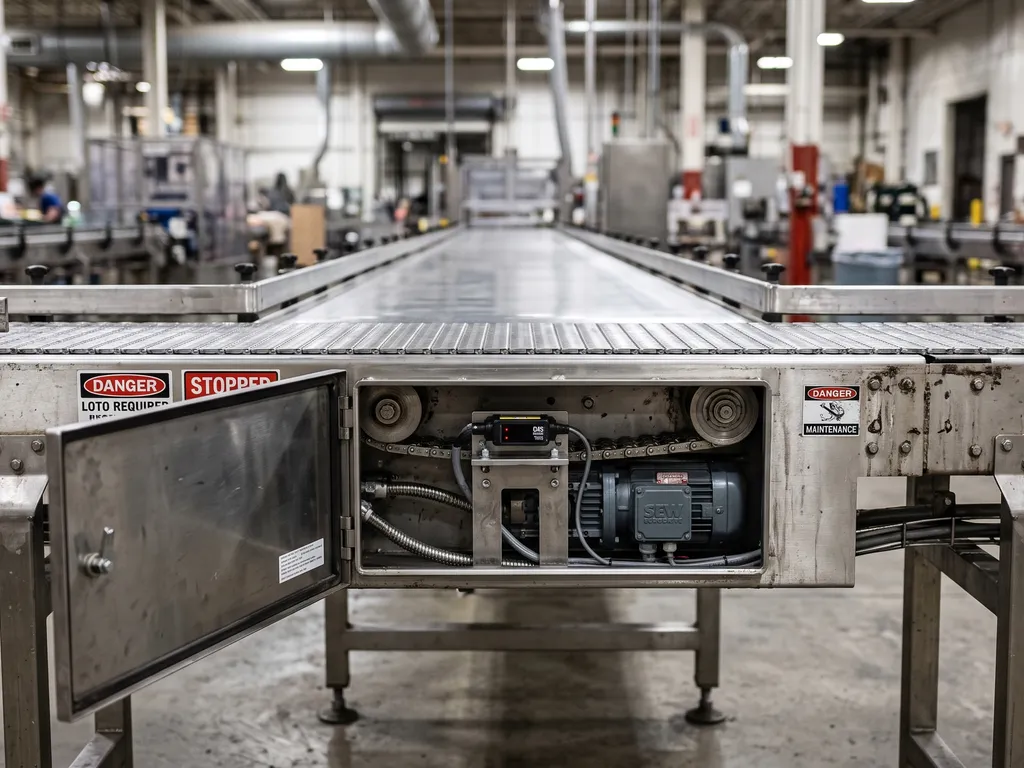

What is Lean visual management?
It means making the state of the plant visible, so anyone can see at a glance what is going well, what is not and what needs attention first. Daily meetings, SQDCPME boards and continuous improvement are all built on that idea.
LEANVIS takes it digital: issues, KPIs, actions and TOP meetings in a single tool, updated in real time and available on the operator’s phone and on the meeting-room screen. No whiteboards that get wiped, no spreadsheets someone has to maintain: every shift leaves a history and every problem, a trail.
Read the full article (in Spanish)- Maintenance checks the sensor this afternoon
- Quality: resample on line 2
- Check sensor stock
Every issue, a full PDCA cycle
PDCA on paper tends to break between one phase and the next: the problem gets written down but never reaches the meeting, the action closes and nobody checks whether the indicator improved, and what worked never becomes a standard. LEANVIS chains the four phases together in one place, so every issue goes through the full cycle and at any point you can follow it backwards, from the indicator to whoever spotted the fault.
- Plan Anyone logs the issue; the right TOP meeting analyses it and plans the fix. Issue Escalated to a TOP Heatmap and Pareto
- Do The problem is contained on the spot and the root-cause fix is carried out, task by task. Actions and tasks
- Check The KPI shows whether the fix worked; if it misses target, the cycle reopens. KPI trend Off-target alert Follow-up in the TOP
- Act What works becomes the standard; what doesn’t moves up the TOP cascade. Standard Recurring checklist TOP cascade
Lean management in your pocket
Log incidents, check KPIs and join TOP meetings directly from your phone — nothing to install, no training required.
- Log incidents in seconds
- Real-time KPIs
- TOP meetings from anywhere
- Instant notifications

Artificial intelligence
integrated at every step.
From 4 a.m. to the last meeting of the day, LEANVIS AI works in the background so your team can focus on what matters.
Daily AI Summary Generated at 4:00 a.m. Category Risk
Plus: an in-app assistant that explains how to use LEANVIS in each user’s own language.
- Answers only from your data, never invents figures
- No people’s names in the KPI analysis
- Meeting audio is never stored
- No data shared between companies
Fits into your workflow
LEANVIS doesn't replace your current tools. It complements them and centralises information that today is scattered.
Need a specific integration? Tell us →
Got questions?
Everything you need to know before getting started with LEANVIS.
Most teams are up and running in under a week. Onboarding covers plant structure setup, KPI configuration and user management. Nothing needs to be installed locally and no complex integrations are required to get started.
LEANVIS works independently and alongside your ERP. You can import and export data via Excel or CSV, and we provide a REST API to integrate it with SAP, Sage, Odoo or other systems. Each integration is built as part of the project: these are not pre-configured connectors.
LEANVIS requires a connection to sync data in real time. The platform is optimised to perform well on slow or unstable connections, which are common in industrial environments with limited coverage.
The LEANVIS infrastructure is hosted in the European Union (Amsterdam) and your data remains solely yours. We do not use it to train AI models and we do not share it with other customers. The AI features do process data with providers in the United States (Anthropic and OpenAI), under the safeguards required by the GDPR, and you can ask us to disable them on your instance if you prefer. You can request a full export or deletion of your data at any time.
No limit. Subscriptions are billed per plant and include unlimited users within the plants you contract, so you can add every operator, team leader and manager you need at no extra cost per user.
Email support: we respond to reported issues within 24 business hours at most and, when needed, work through them over a video call. That is the commitment set out in the subscription agreement.
Can't find what you're looking for? Write to us directly →
Request your free demo
A 30-minute demo using your own indicators. We reply within one business day and, if it fits, your plant is set up in less than a week. No commitment.
Prefer to email us? pau@leanvis.com